In short: staff open a table on the computer at the bar and the lamp over it comes on at once. When the paid time ends, the table closes by itself and the lamp goes off. Nobody has to walk to a switch, and nobody has to remember which table was meant to finish at nine.
Below is what that looks like over one evening, what you see as the owner, and what it takes to get it into your club.
One game, from opening the table to the lamp going off
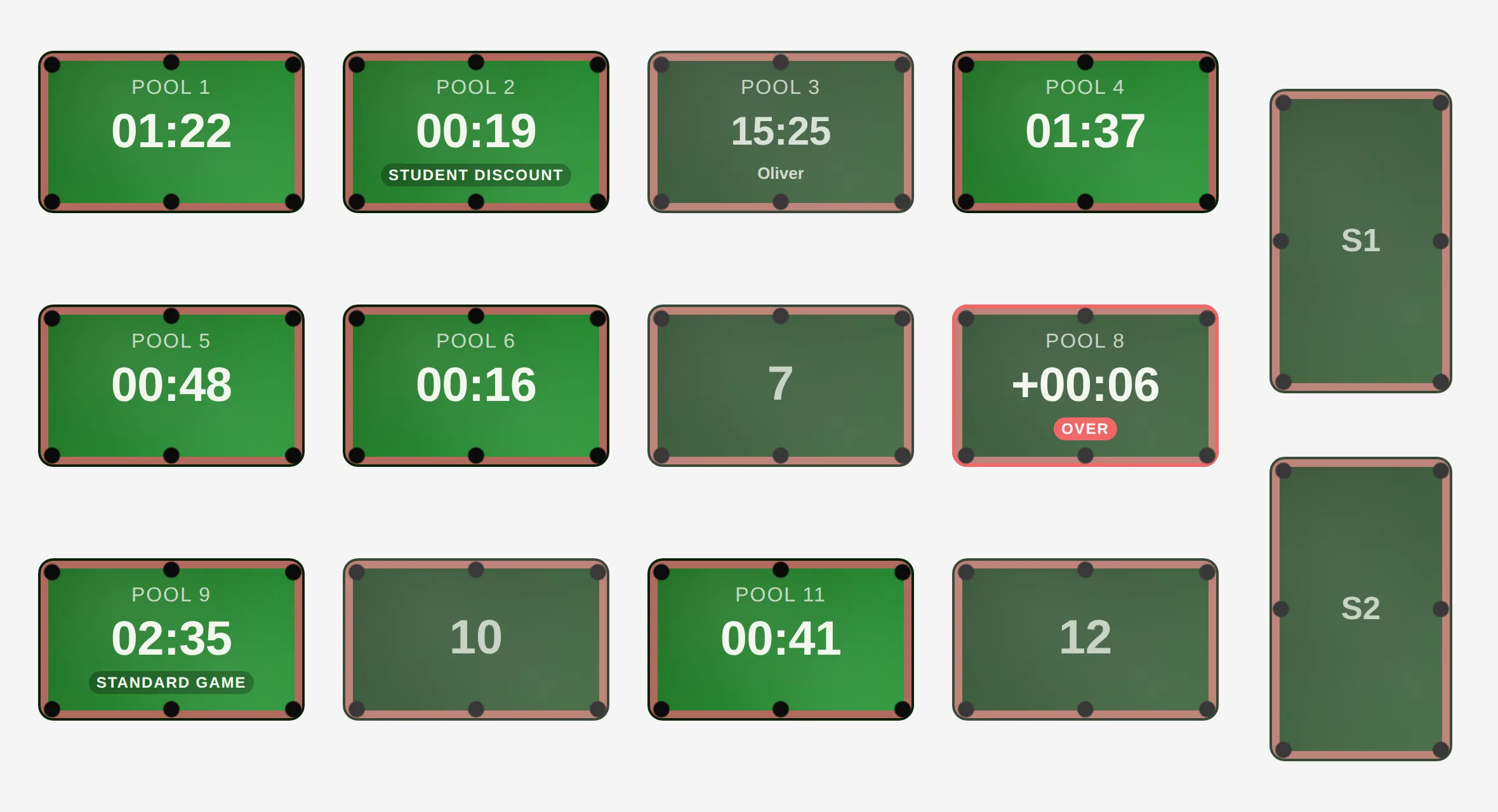
Behind the bar, staff see the whole floor on one screen. A free table is grey, a running game is green with a countdown, and a table that has run over its time is red. A guest with a booking shows at their table from 30 minutes before, so staff know who to expect.
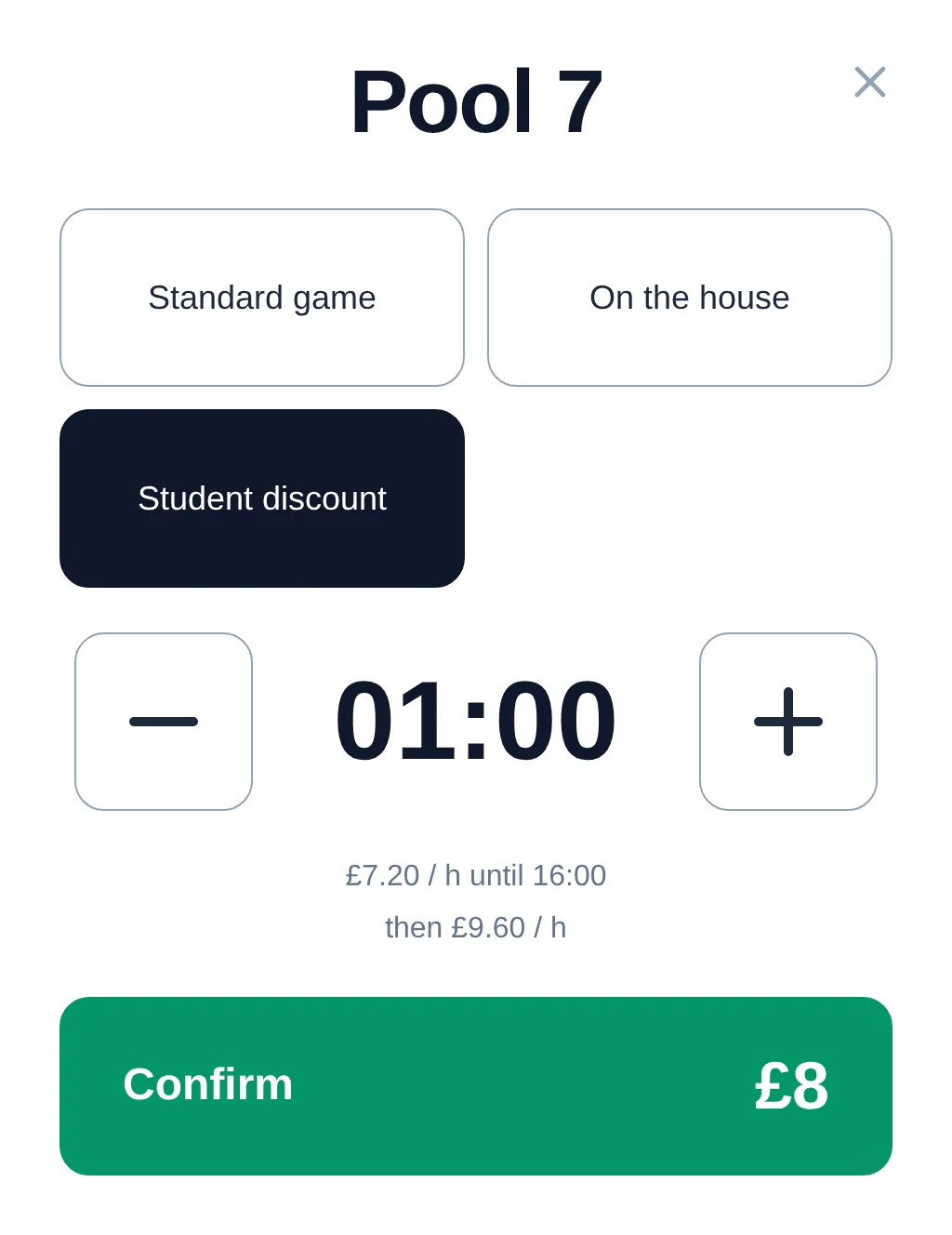
When the guest comes to the bar, opening a table is one dialog: the duration (or no limit), the play mode and, if there is one, the booking it belongs to. For a booked guest, "Check in" from the calendar on the bar computer does the same and opens all the booking's tables. A booking over several tables lights them all at once. If the booked guest never arrives and staff give the table to someone else, the booking is cancelled as "Guest did not show up".
The lamp comes on the moment the table is opened. 5 minutes before the end, it blinks once, so the players know their time is nearly up. If they want more, staff extend the game. If they would rather play somewhere else, staff move the game to a free table at the same price and the lamps follow. When the paid time runs out, the table closes by itself and the lamp goes off.
The lamp does not come on at a booking's start time. It comes on when staff open the table for a guest who is actually there, so no lamp burns over a table nobody came to.
The amount, the play modes and the till
The amount is worked out per minute from your club's price list: by table type or for a single table, by weekday and by time of day, for example a different rate from 16:00. It is fixed when the table is opened, so the guest pays what they were told at the bar.
Each game has a play mode: standard, free ("on the house"), a discount or a fixed price. A game with no time limit, for example a tournament, is possible in the free modes only. Staff then ring the amount up on your own till, the same way as before.
What you see as the owner
Staff sign in with a PIN or a card, so every game has a name on it. The floor report shows revenue from game time by table, play mode and staff member, day by day. Games on the house and discounts show up on their own lines, so you can see where they come from.
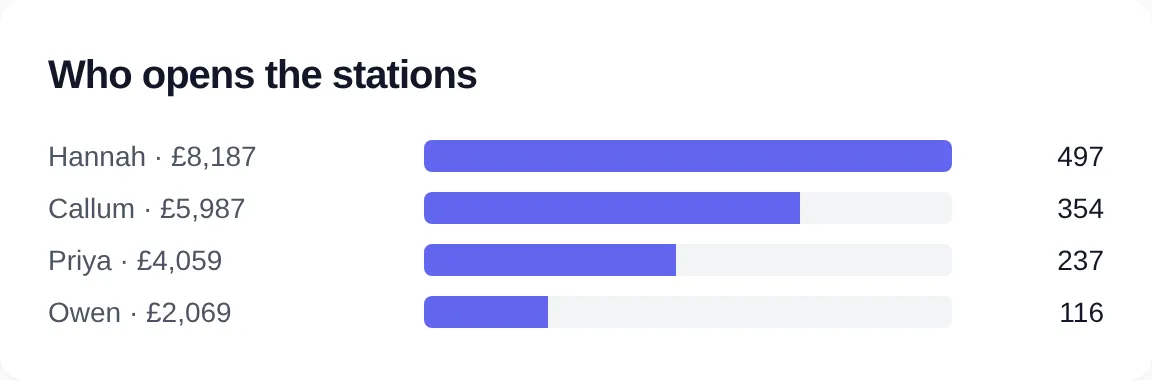
The daily log and the floor report are for the admin only. So are the price list, the controllers and which lamp belongs to which table: a staff PIN does not open them. Away from the club, you can look at the floor read-only, for example on your phone.
Installation and who does what
Light control needs three things at the club: a Windows computer at the bar on the club network, network relay controllers in your electrical panel on the lamp circuits, and one network cable to the computer. The panel finds the controllers on the network by itself.
- The club buys the hardware, and the club's electrician wires the controllers into the electrical panel.
- ClubSystem points to hardware that works with ClubSystem, installs the program on the computer at the bar, sets up your floor and trains your staff.
There is no one-time fee. Light control starts after a site visit, once the controllers are wired in, so it is not part of the 14-day free trial from day one. You can try bookings straight away.
Already have a lighting system? At the site visit we check whether its controllers can stay. If they can, ClubSystem takes them over and replaces the old program. The two never drive one controller at the same time.
On your invoice, light control is a surcharge for each station wired to a controller, on the same ladder as the stations themselves. The pricing calculator shows what it comes to for your floor.
When the internet goes down
The floor runs on the computer at the bar, so a dropped connection does not stop the evening. Lamps, games and amounts keep working, staff sign in with their PIN as usual, and the "all lamps on" and "all lamps off" buttons work too.
When the connection returns, the data reaches the cloud, and online bookings made in the meantime reach the floor then.
See it for your floor
Read more about light control, or work out your monthly price in the pricing calculator.
See light control