It happens every evening. A group starts on one table and ten minutes in they want another one - the cloth plays slow, their friends have just taken the table next door, or the music is too loud in that corner. Until now that meant closing the game, opening a new one and working out at the counter who had already paid for what.
Not any more. A game that is already running can be carried to another table, without stopping it and without settling up halfway through.
Three taps at the counter
-
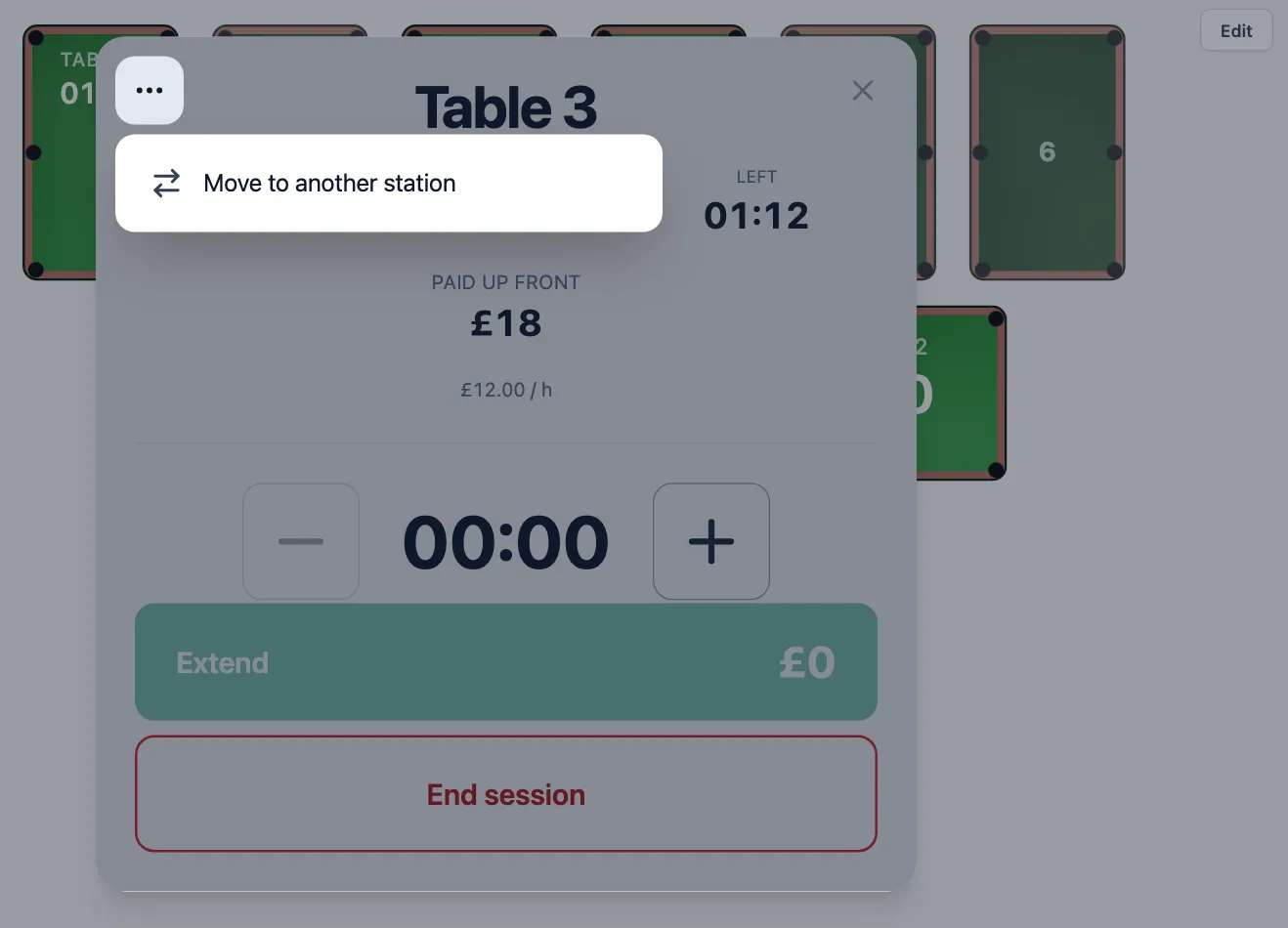
Open the running table on the floor plan and tap the ⋯ button in the top-left
corner of the dialog. Choose Move to another station.
-
The dialog steps aside and the floor plan becomes the picker. The tables the game can
go to are ringed in blue; everything else fades. Changed your mind? Tap
Cancel move or press Escape.
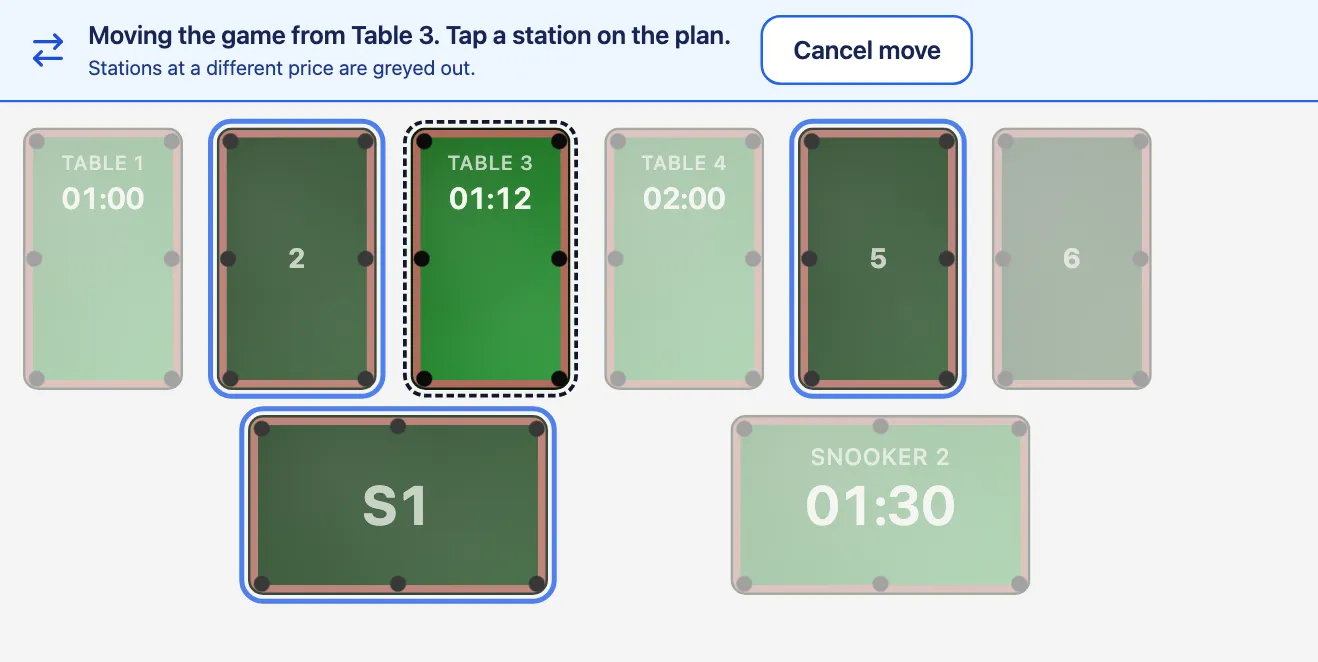
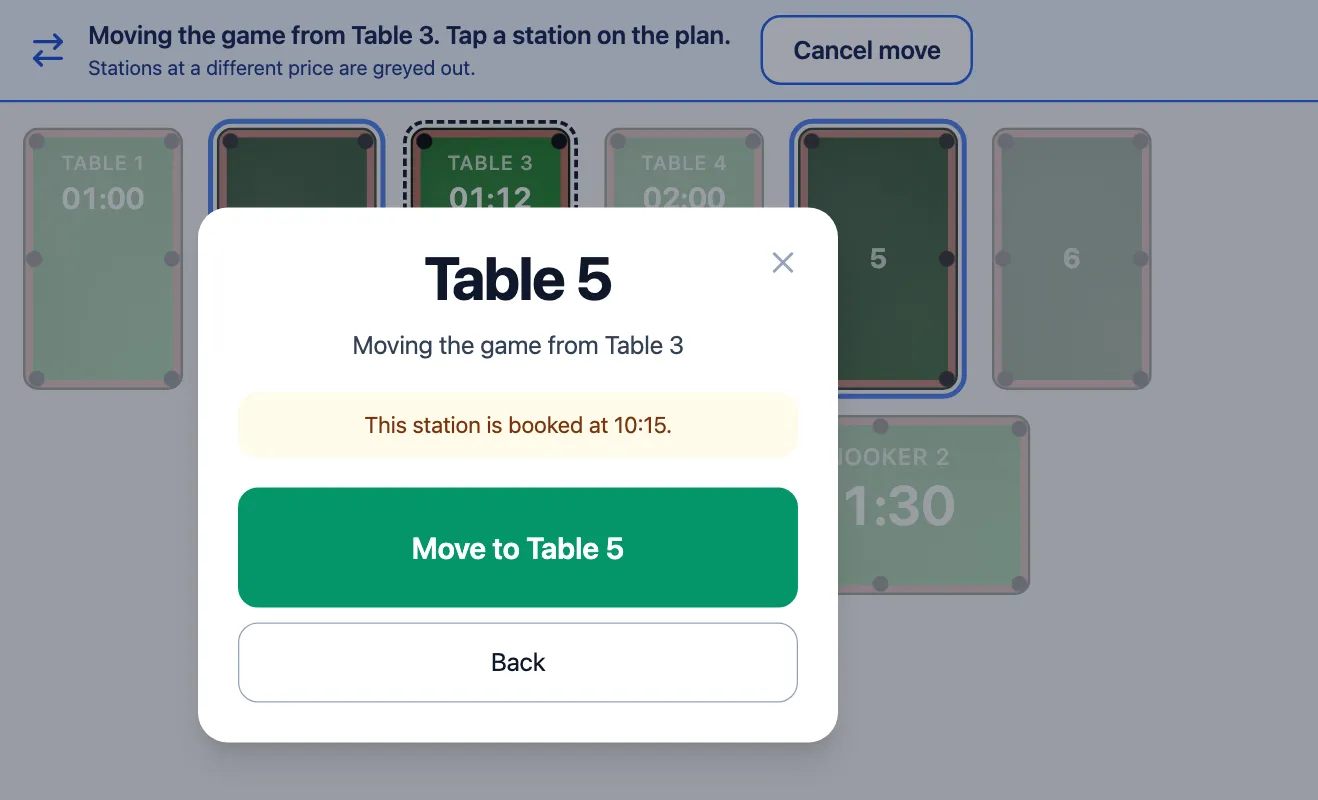
Table 6 is free but dearer, so this game cannot move there. - Tap the new table and confirm with Move to followed by its name. The old table goes dark, the new one lights up and the game carries on with the time it had left.
If someone has booked the new table for later in the game, the confirmation warns you before you move, so nobody is caught out when the next guests arrive.
The guest pays what they were sold - once
A game only moves to a free table that charges the same for the rest of that game. A pool table and a snooker table with the same evening price can swap; a table that would cost more after 21:00 is not offered. When free tables are greyed out only because they are priced differently, the plan tells you so.
The result is simple: the guest pays exactly the price they agreed to, with nothing to refund and nothing to charge again. If they extend the game after the move, the extension is priced at the new table, just like any other game there.
The booking follows the game
When the game came from an online or phone booking, the booking moves to the new table with the guest's details. In the bookings calendar the original booking ends at the moment of the move and the rest of the game sits on the new table. The old table is free for new bookings from the moment of the move, instead of sitting blocked until the original booking would have ended.
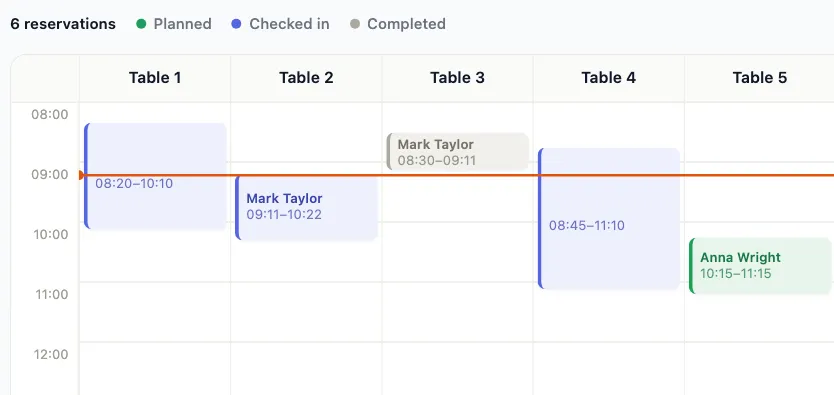
That works for parties too. Move one table out of a four-table group and the new table becomes part of the same party, while the table it left goes back on sale straight away. Your daily log marks the first table's game as moved to another station, so it never looks as if the guests walked out early.
Who gets it
Moving games is part of running your tables from ClubSystem with light control. It arrives at your club with the next update of the club computer's software. Until then the menu row is greyed out with "The club computer runs an older agent" - get in touch and we will schedule the update with you. For everything else that changed this year, see the summer 2026 update.
Want this at your club?
Not using ClubSystem yet? Start a free trial, or see the pricing for the light control module.
Start free trial