Until now, signing in to ClubSystem meant knowing where to go. Owners logged in through their club's own address, staff had a separate PIN screen, and every new employee needed the same little onboarding speech: "open this link, not that one". We have replaced all of it with a single page: clubsystem.app/login. That is the whole instruction now, for everyone at the club.
Owners: just your email
You no longer type your club's name or remember its web address. Enter the email and password you registered with, and ClubSystem finds your club and takes you straight to its admin panel. Password reset got the same treatment: the link from the email opens one simple page, and after you set a new password you are already signed in - no second form to fill in.
Staff: a fob tap or a PIN, on the same page
Devices that are used at the club - the front-desk tablet, the bar computer - recognize your club automatically. On those devices the login page shows a second panel next to the owner form: hold your RFID fob to the reader and you are in, or switch to typing your 6-digit PIN if you prefer. No club address, no separate staff page, nothing to bookmark.
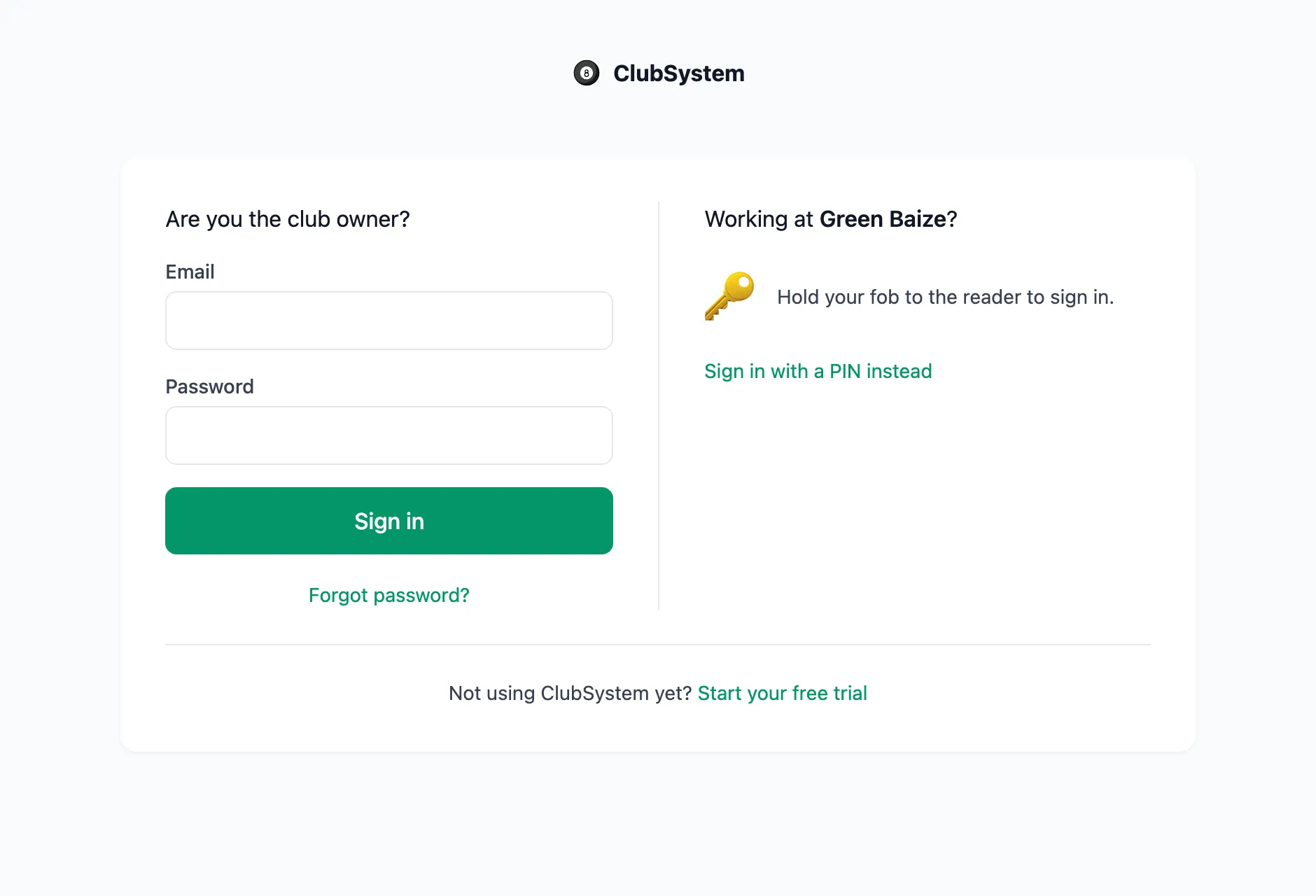
Setting up a brand-new device takes one step: sign in on it once (or open your club's panel address), and from then on the staff panel appears on clubsystem.app/login by itself.
Smaller touches that came with it
- Signing out lands you back on the login page - with the staff panel already showing on club devices, so the next person can tap their fob right away.
- Staff names stay current - rename a staff member in settings and the admin panel header shows the new name immediately, on every device.
- Deactivating a staff member now signs them out instantly - not whenever their session would have expired.
Try it on your next shift
The new login page is live for every club today - your old links and bookmarks keep working and simply take you to the right place. Not running your club on ClubSystem yet?
Start your free trial